
This article describes an AI-powered SRE assistant built with the Strands Agents SDK, Django, React, and AWS. The agent autonomously investigates infrastructure issues by combining LLM reasoning with deep integrations into GitLab and AWS.
The Problem#
Platform teams at scale face a recurring challenge: investigating production issues requires correlating information across multiple systems. A typical investigation might look like:
- Someone reports a 503 error on a service
- You check the ALB target group health
- Targets are unhealthy, so you check the ECS service
- ECS shows a deployment in progress, so you check the task definition
- The image tag points to a commit, so you check GitLab
- The last MR changed a health check endpoint, so you read the code
- The code has a bug in the new health check, so you check CloudWatch logs to confirm
- Logs confirm the error, you write up the finding
Each step requires switching context, authenticating to a different system, navigating a different UI, and mentally correlating the results. For an experienced engineer, this takes 15-30 minutes. For a junior engineer, it can take hours, and they might miss steps entirely.
TARS automates this entire workflow. You type “investigate the 503 errors on service X” and the agent autonomously:
- Finds the service in GitLab
- Reads the repository structure and configuration
- Identifies the AWS account and region
- Checks ALB target health, ECS service status, and recent deployments
- Reads CloudWatch logs for error patterns
- Checks recent MRs and commits for relevant changes
- Correlates all findings and presents a structured report
The key insight is that SRE investigation is largely procedural. The steps follow patterns. What makes a good SRE isn’t memorizing those patterns, it’s knowing which patterns to apply and how to interpret the results. That’s exactly what LLMs excel at.
Architecture Overview#
TARS is a monolith deployed as a single container. The architecture is intentionally simple:
flowchart TD
    VPN([VPN]) -->|HTTPS 443| ALB[Internal ALB
TLS 1.3]
    ALB --> Fargate[ECS Fargate
port 8080]
    Fargate --> Nginx[Nginx]
    Nginx -->|/assets/*| SPA[React SPA
static files]
    Nginx -->|/api/*| Uvicorn[Uvicorn
Django ASGI
port 8000]
    Uvicorn --> PG[(Aurora PostgreSQL
Serverless v2)]
    Uvicorn --> Redis[(ElastiCache
Redis)]
    Uvicorn --> Bedrock[AWS Bedrock
AgentCore Memory]
    Uvicorn --> LLM[LLM Gateway
OAuth2]
The frontend is a React SPA served by Nginx. API requests are proxied to the Django backend running on Uvicorn with ASGI support (critical for SSE streaming). PostgreSQL stores users, sessions, chat history, and KPI snapshots. Redis caches AWS credentials, GitLab API responses, and computed dashboard data. AWS Bedrock AgentCore provides persistent memory across sessions.
Why a monolith? Because the operational complexity of a microservice architecture is not justified when you have a single team, a single deployment target, and a single user-facing application. The monolith deploys in seconds, has one set of logs to check, and one service to monitor. If it ever needs to be split, the code is modular enough to extract services later.
Tech Stack#
Backend:
- Python 3.12+ with Django 6.0
- Async support via
adrf(async Django REST Framework) - Uvicorn as the ASGI server
strands-agentsfor the AI agent frameworkhttpxfor async HTTP clientsmsalfor Microsoft Entra ID OAuth2requests-ntlmfor ADFS/SAML corporate authpyotpfor TOTP generation- Fernet encryption for credential storage
Frontend:
- React 19 with TypeScript 5
- Vite 7 as the build tool
- Tailwind CSS 3 for styling
- Radix UI for accessible primitives
- Framer Motion for animations
- Recharts for data visualization
- React Hook Form + Zod for form validation
- SSE (Server-Sent Events) for real-time streaming
Infrastructure:
- AWS ECS Fargate (Spot + On-Demand)
- Aurora PostgreSQL Serverless v2
- ElastiCache Redis
- Internal ALB with WAF
- Terraform for IaC
- Docker multi-stage build (Node 20 Alpine + Python 3.13 slim)
Authentication: Four Layers Deep#
Authentication in TARS isn’t just about identifying the user. It’s about establishing trust chains across four distinct systems: the application itself, GitLab, AWS (via corporate SAML federation), and the LLM Gateway (via Keycloak). Each layer serves a different purpose, and each requires its own credential management.
Layer 1: Microsoft Entra ID (User Identity)#
The primary authentication uses OAuth2 Authorization Code flow with PKCE:
# Simplified OAuth2 PKCE flow
class AuthCallbackView(APIView):
    async def post(self, request):
        code = request.data["code"]
        code_verifier = request.data["code_verifier"]

        # Exchange authorization code for tokens
        msal_app = ConfidentialClientApplication(
            client_id=settings.ENTRA_CLIENT_ID,
            authority=f"https://login.microsoftonline.com/{settings.ENTRA_TENANT_ID}",
            client_credential=settings.ENTRA_CLIENT_SECRET,
        )

        result = msal_app.acquire_token_by_authorization_code(
            code=code,
            scopes=["User.Read"],
            redirect_uri=settings.ENTRA_REDIRECT_URI,
            code_verifier=code_verifier,
        )

        # Validate the ID token signature against Microsoft JWKS
        id_token = validate_and_decode_token(result["id_token"])

        # Create or update user
        user, _ = await User.objects.aupdate_or_create(
            entra_id=id_token["oid"],
            defaults={"display_name": id_token["name"]},
        )

        # Create session with sliding window expiry
        session = await UserSession.objects.acreate(
            user=user,
            expires_at=now() + timedelta(hours=24),
        )

        # Set HttpOnly, Secure, SameSite=Strict cookie
        response = Response({"user": UserSerializer(user).data})
        response.set_cookie(
            "session_id", session.token,
            httponly=True, secure=True, samesite="Strict",
            max_age=86400,
        )
        return response
The PKCE flow prevents authorization code interception attacks. The session cookie is HttpOnly (no JavaScript access), Secure (HTTPS only), and SameSite=Strict (no CSRF). Session expiry uses a sliding window: each authenticated request extends the session, but only if at least 300 seconds have passed since the last extension (to avoid hammering the database on every request).
Layer 2: GitLab (Repository Access)#
Users configure their GitLab personal access token in the Settings page. The token is encrypted with Fernet symmetric encryption before storage:
class EncryptedCharField(models.CharField):
    """Transparently encrypts/decrypts field values using Fernet."""

    def __init__(self, *args, **kwargs):
        self.fernet = Fernet(settings.FIELD_ENCRYPTION_KEY)
        super().__init__(*args, **kwargs)

    def get_prep_value(self, value):
        if value:
            return self.fernet.encrypt(value.encode()).decode()
        return value

    def from_db_value(self, value, expression, connection):
        if value:
            return self.fernet.decrypt(value.encode()).decode()
        return value
The encryption key is derived from DJANGO_SECRET_KEY and stored in AWS Secrets Manager. This means even if the database is compromised, the tokens are unreadable without the application secret.
Layer 3: AWS SAML Federation (Infrastructure Access)#
This is the most complex authentication layer. Engineers need access to 100+ AWS accounts, each with multiple roles. Rather than managing individual IAM users, TARS authenticates via the corporate SAML federation chain:
sequenceDiagram
    participant User
    participant ADFS as Corporate ADFS
    participant KC as Keycloak
    participant STS as AWS STS

    User->>ADFS: credentials (NTLM)
    ADFS-->>KC: SAML assertion
    KC->>User: OTP challenge
    User->>KC: OTP code
    KC-->>STS: AWS SAML response
    STS-->>User: Temporary credentials (TTL 1h)
    Note over User,STS: Cached in Redis, auto-refreshed
class AWSSAMLAuthenticator:
    """Authenticates to AWS via corporate SAML federation."""

    async def authenticate(self, username, password, otp=None):
        # Step 1: Authenticate against corporate ADFS
        session = requests.Session()
        session.auth = HttpNtlmAuth(
            f"CORP\\{username}", password
        )

        adfs_response = session.get(
            ADFS_URL,
            params={"loginToRp": KEYCLOAK_ENTITY_ID},
        )

        # Step 2: Extract SAML assertion from ADFS response
        saml_assertion = self._extract_saml(adfs_response.text)

        # Step 3: Submit SAML to Keycloak with OTP
        kc_response = session.post(
            KEYCLOAK_SAML_ENDPOINT,
            data={
                "SAMLResponse": saml_assertion,
                "otp": otp or pyotp.TOTP(otp_secret).now(),
            },
        )

        # Step 4: Extract AWS roles from final SAML response
        aws_saml = self._extract_aws_saml(kc_response.text)
        roles = self._parse_aws_roles(aws_saml)

        # Step 5: Assume each role via STS
        credentials = {}
        sts = boto3.client("sts")
        for role_arn, provider_arn in roles:
            creds = sts.assume_role_with_saml(
                RoleArn=role_arn,
                PrincipalArn=provider_arn,
                SAMLAssertion=aws_saml,
            )
            credentials[role_arn] = creds["Credentials"]

        # Cache credentials in Redis with TTL
        await self._cache_credentials(credentials)

        return {"accounts": len(set(r.split(":")[4] for r, _ in roles)),
                "roles": len(roles)}
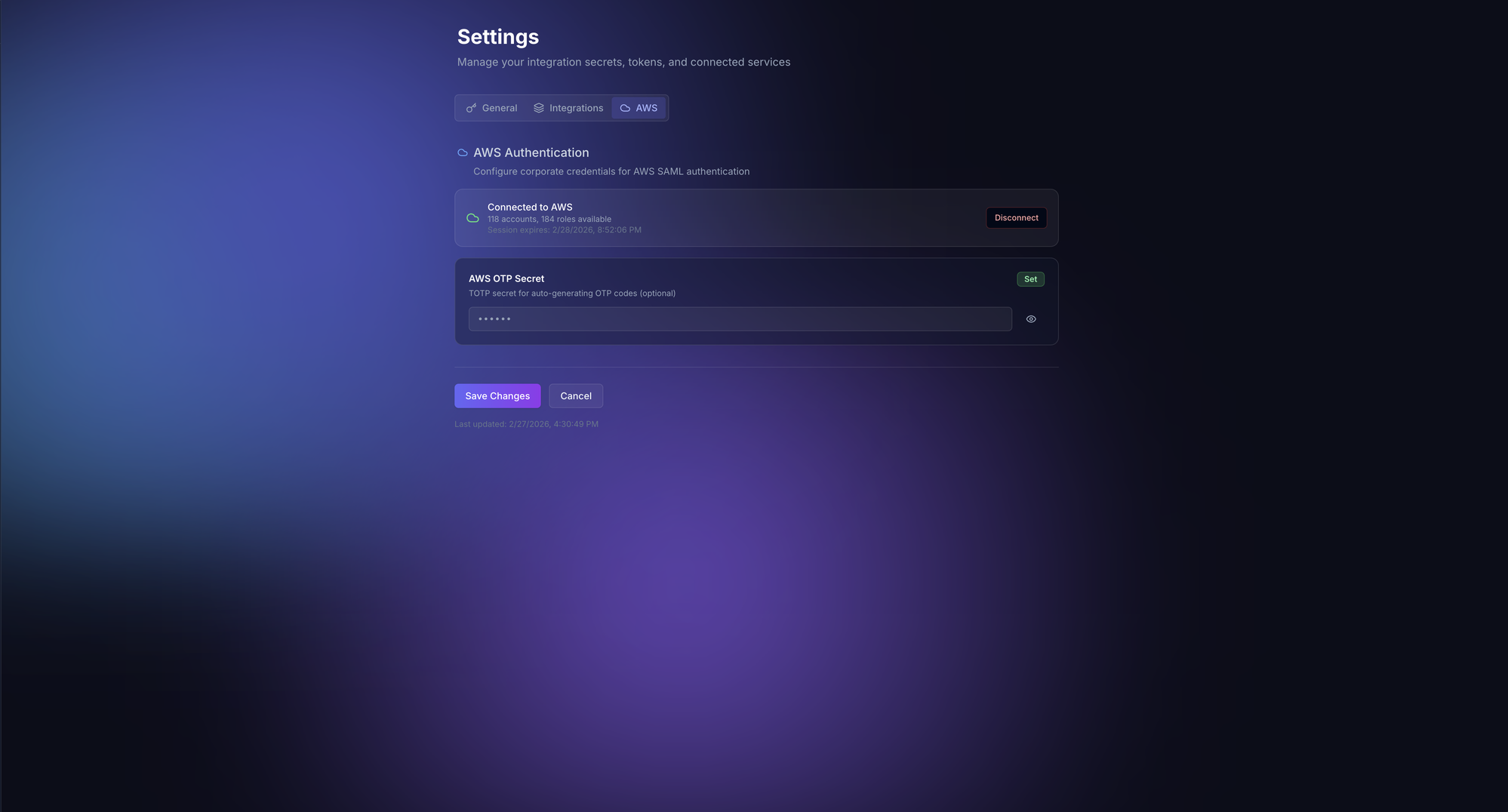
When the OTP secret is configured, TARS can automatically re-authenticate when credentials expire, making the AWS access seamless. The temporary credentials are cached in Redis with a TTL matching their STS expiration. The agent can then assume different roles on demand to investigate resources across any AWS account.
Layer 4: Keycloak (LLM Gateway Access)#
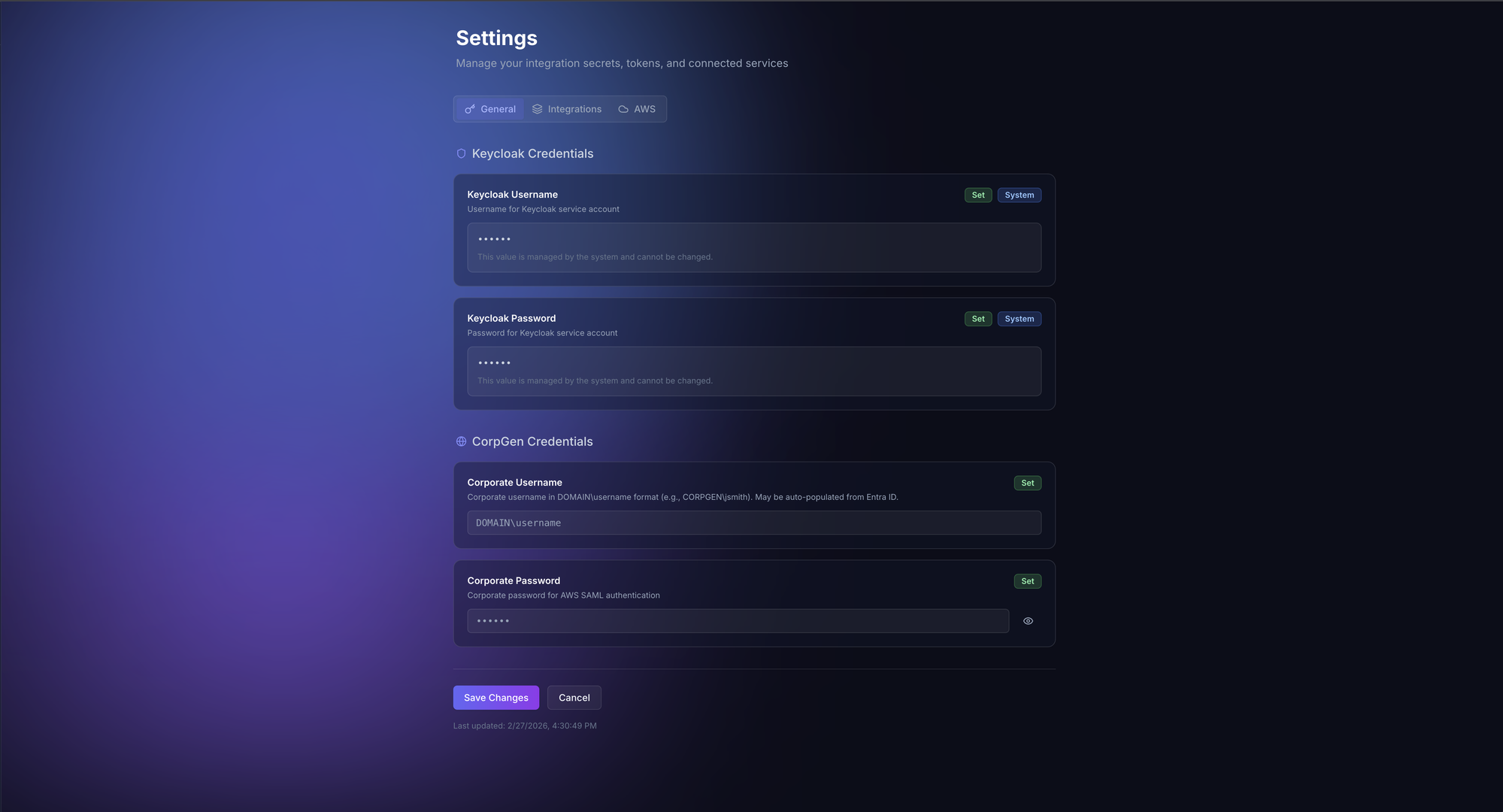
The LLM Gateway that provides access to GPT models requires Keycloak authentication. Users configure their Keycloak credentials, and TARS obtains OAuth2 tokens on their behalf:
async def get_llm_gateway_token(user_settings):
    token_data = {
        "grant_type": "password",
        "client_id": LLM_GW_CLIENT_ID,
        "username": user_settings.keycloak_username,
        "password": user_settings.keycloak_password,
    }

    async with httpx.AsyncClient() as client:
        response = await client.post(
            f"{KEYCLOAK_URL}/realms/{REALM}/protocol/openid-connect/token",
            data=token_data,
        )

    return response.json()["access_token"]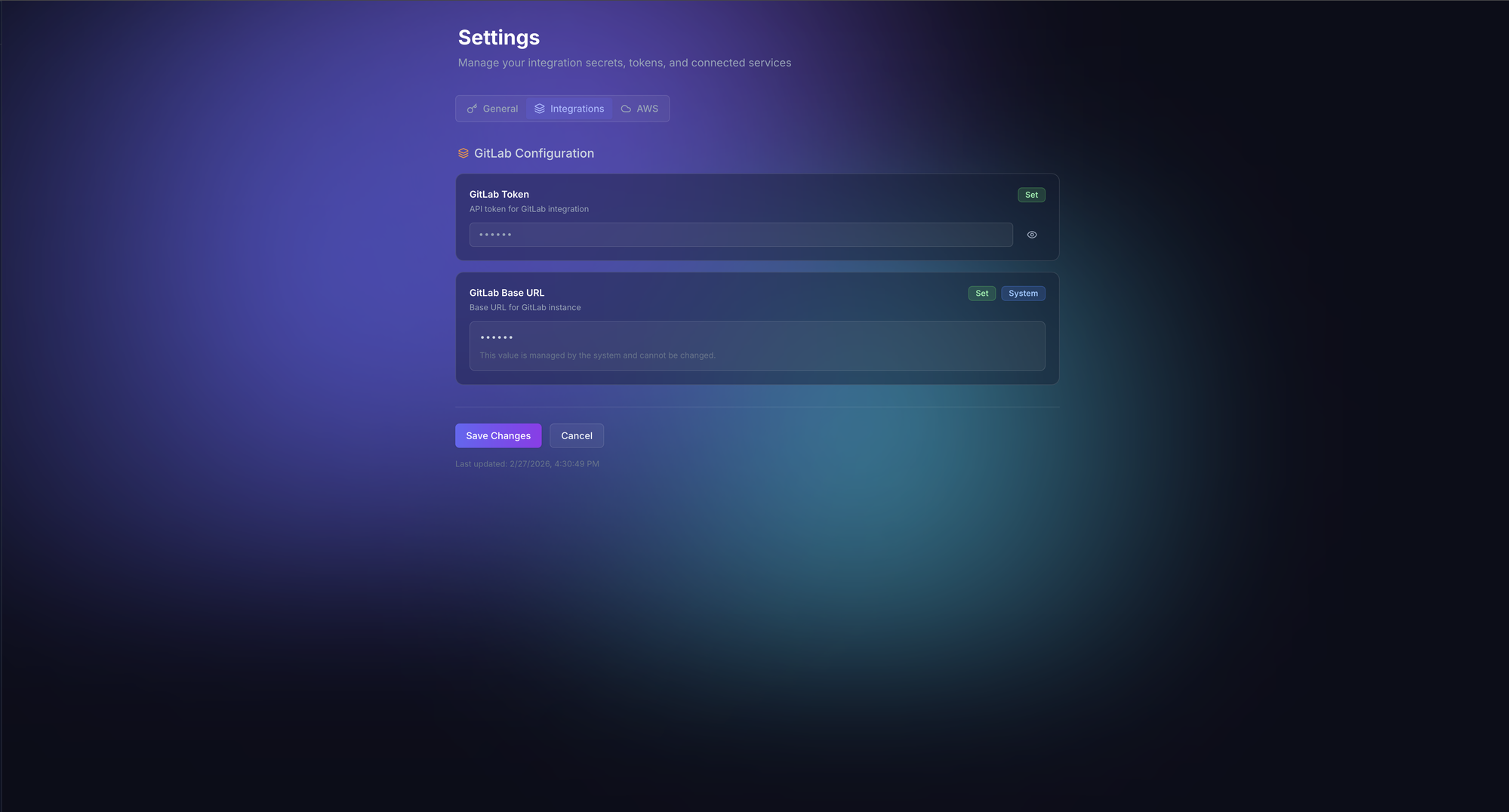
The Agent System#
The heart of TARS is the agent, built on the strands-agents framework. Each user request creates a fresh agent instance with the user’s credentials injected via Python’s contextvars:
from strands import Agent
from strands.models.openai import OpenAIModel
from strands.tools import ConcurrentToolExecutor
from strands.conversation import SlidingWindowConversationManager

def build_agent(user, user_settings, session_id):
    # Configure the LLM
    model = OpenAIModel(
        model_id="gpt-5.1",
        client_args={
            "base_url": LLM_GATEWAY_URL,
            "api_key": get_gateway_token(user_settings),
        },
        params={"temperature": 0.0},
    )

    # Build tool list based on user's configured integrations
    tools = []

    if user_settings.gitlab_token:
        tools.extend(GITLAB_TOOLS)

    if has_aws_credentials(user):
        tools.extend(AWS_TOOLS)

    tools.extend(CORE_TOOLS)  # think, plan, http, repo_grep

    # Configure memory
    memory = SafeAgentCoreMemorySessionManager(
        namespaces={
            "preferences": f"/preferences/{user.id}",
            "facts": f"/facts/{user.id}",
            "summaries": f"/summaries/{user.id}/{session_id}",
        }
    )

    return Agent(
        model=model,
        tools=tools,
        tool_executor=ConcurrentToolExecutor(),
        conversation_manager=SlidingWindowConversationManager(
            window_size=40,
        ),
        session_manager=memory,
        system_prompt=SYSTEM_PROMPT,
    )
The System Prompt#
The system prompt is over 8,000 words and establishes the agent’s behavioral framework. Some key directives:
Autonomous investigation, not advice:
“You are TARS, a senior SRE debugger and platform analyst. When asked to investigate, you investigate. You don’t suggest what the user should check. You check it yourself.”
Context-first mandate:
“When a service name is mentioned, ALWAYS call gather_context() before any analysis. Never reason about a service without first discovering its actual configuration.”
Zero-hallucination enforcement:
“Never reference AWS resources, GitLab projects, or configuration details that you have not discovered via tool calls in this conversation. If you haven’t checked it, you don’t know it.”
Multi-signal verification:
“Never conclude ’nothing found’ or ’everything looks fine’ without checking at least two independent signals. If CloudWatch shows no errors, also check ECS events and ALB metrics.”
Tool intent transparency:
“Before each tool call, emit a single short sentence explaining what you’re checking and why. This helps the user follow your investigation.”
These constraints transform a general-purpose LLM into a focused investigation agent. The temperature is set to 0.0 because SRE investigation requires determinism, not creativity. You want the agent to follow the same investigation procedures every time.
Tool Registry: 30+ Specialized Tools#
TARS has access to over 30 tools, each designed for a specific investigation task. The tools are not generic wrappers. They encode domain knowledge about how to query each system effectively.
AWS Tools (Read-Only)#
Each AWS service gets its own tool with smart defaults and domain-specific parameter handling:
@tool
def aws_ecs(
    action: str,
    parameters: dict,
    account_id: str | None = None,
    region: str = "eu-central-1",
) -> dict:
    """Query AWS ECS resources.

    Common actions:
    - describe_services: Get service details (cluster, serviceName required)
    - describe_tasks: Get task details (cluster, tasks required)
    - list_services: List services in a cluster
    - describe_task_definition: Get task definition details
    - list_task_definitions: List task definition families

    The tool automatically:
    - Resolves the correct AWS account credentials from the SAML cache
    - Adds 'eu-central-1' as default region if not specified
    - Handles pagination for list operations
    - Truncates large responses to prevent context overflow
    """
    # Validate action is read-only
    if not action.startswith(("describe_", "list_", "get_")):
        return {"error": f"Action '{action}' is not allowed (read-only)"}

    # Get cached credentials for the target account
    credentials = get_cached_aws_credentials(account_id)

    client = boto3.client(
        "ecs",
        region_name=region,
        aws_access_key_id=credentials["AccessKeyId"],
        aws_secret_access_key=credentials["SecretAccessKey"],
        aws_session_token=credentials["SessionToken"],
    )

    method = getattr(client, action)
    response = method(**parameters)

    return truncate_response(response, max_chars=12000)
There are specialized tools for ECS, CloudWatch, Lambda, RDS, S3, ElastiCache, ELB, API Gateway, Route53, Step Functions, networking (VPCs, subnets, security groups), and a generic aws tool that can call any AWS service.
GitLab Tools#
GitLab tools go beyond simple API wrappers. The gitlab_search_group tool auto-paginates across results and searches at the group level (not just single repos):
@tool
def gitlab_search_group(
    group_id: int,
    scope: str,
    search: str,
    max_pages: int = 3,
) -> list[dict]:
    """Search across all repositories in a GitLab group.

    Scopes: projects, issues, merge_requests, blobs (code), commits, notes

    Auto-paginates up to max_pages to collect comprehensive results.
    Useful for finding which repositories contain specific code patterns,
    configuration references, or AWS account IDs.
    """
    results = []
    page = 1

    while page <= max_pages:
        response = gitlab_api(
            f"/groups/{group_id}/search",
            params={"scope": scope, "search": search, "page": page, "per_page": 20},
        )

        if not response:
            break

        results.extend(response)
        page += 1

    return results
The repo_grep Tool#
This is one of the most powerful tools. It clones a repository locally (shallow, sparse, cached) and provides grep, find, tree, and file read operations via subprocess:
@tool
def repo_grep(
    project_id: int,
    ref: str = "master",
    action: str = "grep",
    pattern: str | None = None,
    path: str | None = None,
) -> str:
    """Clone a GitLab repo locally and search its contents.

    Actions:
    - grep: Search file contents for a pattern (regex supported)
    - find: Find files matching a name pattern
    - tree: Show directory structure
    - read_file: Read a specific file's contents

    Repos are cached in /tmp for the session duration.
    Shallow clones keep disk usage minimal.
    """
    repo_dir = clone_or_cache(project_id, ref)

    if action == "grep":
        result = subprocess.run(
            ["grep", "-rn", "--include=*.py", "--include=*.tf",
             "--include=*.yml", "--include=*.yaml", "--include=*.json",
             pattern, repo_dir],
            capture_output=True, text=True, timeout=30,
        )
        return truncate(result.stdout, 12000)

    # ... other actions
This allows the agent to do deep code analysis that isn’t possible through GitLab’s search API alone. It can trace function call chains, read configuration files, check Terraform variables, and find secrets that shouldn’t be committed.
Sub-Agent Architecture#
Complex investigations often require parallel work streams. TARS uses a sub-agent pattern where the main agent can spawn autonomous child agents that run to completion with their own tool sets:
@tool
def gather_context(service_name: str) -> dict:
    """Autonomously discover everything about a service.

    This sub-agent:
    1. Searches GitLab for the service repository
    2. Reads the repo structure (Dockerfile, terraform/, .gitlab-ci.yml)
    3. Extracts AWS account, region, and cluster information
    4. Returns a structured context object

    Always call this before investigating any service.
    """
    sub_agent = Agent(
        model=model,
        tools=[gitlab, gitlab_get_file, gitlab_list_tree, gitlab_search_group],
        system_prompt=GATHER_CONTEXT_PROMPT,
    )

    result = sub_agent(
        f"Find and analyze the service '{service_name}'. "
        f"Return the GitLab project ID, AWS account, region, "
        f"cluster name, and key configuration details."
    )

    return parse_context(result)


@tool
def investigate_infrastructure(context: dict, symptoms: str) -> dict:
    """Autonomously investigate AWS infrastructure for issues.

    Uses the context from gather_context() to check:
    - ECS service health, deployment status, task failures
    - ALB target health, request metrics, error rates
    - CloudWatch logs for error patterns
    - Recent configuration changes
    """
    sub_agent = Agent(
        model=model,
        tools=[aws_ecs, aws_cloudwatch, aws_elb, aws_networking],
        system_prompt=INVESTIGATE_INFRA_PROMPT,
    )

    return sub_agent(
        f"Context: {json.dumps(context)}\n"
        f"Symptoms: {symptoms}\n"
        f"Investigate the infrastructure and report findings."
    )


@tool
def investigate_code(context: dict, hypothesis: str) -> dict:
    """Autonomously investigate code for issues.

    Traces code paths, reads recent changes, checks for
    common patterns that could cause the reported symptoms.
    """
    sub_agent = Agent(
        model=model,
        tools=[gitlab_get_file, gitlab_list_tree, repo_grep, gitlab_search_group],
        system_prompt=INVESTIGATE_CODE_PROMPT,
    )

    return sub_agent(
        f"Context: {json.dumps(context)}\n"
        f"Hypothesis: {hypothesis}\n"
        f"Investigate the code and report findings."
    )
Sub-agent progress is forwarded to the main response stream via a shared asyncio.Queue. The frontend renders sub-agent tool calls as nested activity items, so the user can see exactly what each sub-agent is doing in real time.
Security Model#
An AI agent with access to 100+ AWS accounts and every GitLab repository needs serious guardrails. TARS implements security at three levels:
Level 1: Tool Policy Classification#
Every tool call is classified before execution:
class ToolPolicy:
    SAFE = "safe"       # Read-only operations
    ELEVATED = "elevated"  # Write operations (require confirmation)
    BLOCKED = "blocked"    # Destructive operations (never allowed)

    def classify(self, tool_name, parameters):
        # All AWS write operations are blocked
        if tool_name.startswith("aws_"):
            action = parameters.get("action", "")
            if action.startswith(("create_", "delete_", "update_", "put_",
                                  "modify_", "remove_", "terminate_")):
                return self.BLOCKED

        # GitLab writes are elevated (branch-safe only)
        if tool_name in ("gitlab_commit_file", "gitlab_create_branch",
                         "gitlab_create_merge_request"):
            return self.ELEVATED

        # GitLab generic tool blocks non-GET methods
        if tool_name == "gitlab":
            if parameters.get("method", "GET") != "GET":
                return self.BLOCKED

        return self.SAFE
Level 2: Branch Protection#
GitLab write tools enforce branch safety:
@tool
def gitlab_commit_file(project_id, branch, file_path, content, commit_message):
    """Commit a file to a GitLab repository.

    SAFETY: Commits to main/master are rejected.
    Only feature branches are allowed.
    """
    if branch.lower() in ("main", "master", "release", "pre-release"):
        return {"error": f"Direct commits to '{branch}' are blocked. "
                         f"Create a feature branch first."}

    # ... proceed with commit
Level 3: Network Safety#
The HTTP tool includes SSRF protection:
def validate_url(url):
    """Prevent SSRF by blocking requests to private IP ranges."""
    parsed = urlparse(url)
    ip = socket.gethostbyname(parsed.hostname)

    private_ranges = [
        ipaddress.ip_network("10.0.0.0/8"),
        ipaddress.ip_network("172.16.0.0/12"),
        ipaddress.ip_network("192.168.0.0/16"),
        ipaddress.ip_network("169.254.0.0/16"),
    ]

    addr = ipaddress.ip_address(ip)
    for network in private_ranges:
        if addr in network:
            raise SecurityError(f"Requests to private IP {ip} are blocked")
Level 4: Output Sanitization#
Tool output is truncated to 12,000 characters to prevent context overflow attacks where a malicious response could fill the context window with adversarial content. Secret values detected in tool output are redacted before being shown to the user.
Streaming Infrastructure#
Real-time streaming is essential for an investigation agent. Investigations can take 30-60 seconds as the agent makes multiple tool calls. Without streaming, the user would stare at a loading spinner with no visibility into what’s happening.
TARS uses Server-Sent Events (SSE) with Django’s async StreamingHttpResponse:
class ChatStreamView(APIView):
    async def post(self, request):
        message = request.data["message"]
        session_id = request.data.get("session_id")

        agent = build_agent(request.user, request.user_settings, session_id)

        async def event_stream():
            queue = asyncio.Queue()

            # Run agent in background task
            task = asyncio.create_task(
                run_agent(agent, message, queue)
            )

            while True:
                event = await queue.get()

                if event["type"] == "done":
                    yield format_sse(event)
                    break

                if event["type"] == "text_delta":
                    yield format_sse(event)

                if event["type"] == "tool_start":
                    yield format_sse({
                        "type": "tool_start",
                        "tool": event["tool_name"],
                        "input": event["input_params"],
                    })

                if event["type"] == "tool_end":
                    yield format_sse({
                        "type": "tool_end",
                        "tool": event["tool_name"],
                        "output": truncate(event["output"], 500),
                    })

                if event["type"] == "reasoning":
                    yield format_sse({
                        "type": "reasoning",
                        "text": event["text"],
                    })

            await task

        response = StreamingHttpResponse(
            event_stream(),
            content_type="text/event-stream",
        )
        response["Cache-Control"] = "no-cache"
        response["X-Accel-Buffering"] = "no"  # Disable Nginx buffering
        return response


def format_sse(data):
    return f"data: {json.dumps(data)}\n\n"
The X-Accel-Buffering: no header is critical. Without it, Nginx buffers the SSE stream and delivers it in chunks, destroying the real-time experience. The ALB is configured with sticky sessions (1-hour cookie) to ensure SSE connections aren’t load-balanced mid-stream.
The Frontend#
The frontend is built with React 19 and follows a feature-based architecture:
src/
  features/
    auth/       # OAuth2 PKCE, session management
    chat/       # Chat UI, SSE streaming, sessions
    kpi/        # Developer productivity dashboard
    memory/     # Agent memory viewer/manager
    admin/      # User management, system settings
    common/     # Layout, sidebar, shared components
The useChat Hook#
The core of the chat feature is a custom React hook that manages the SSE connection, parses streaming events, and tracks tool invocations including nested sub-agent calls:
function useChat() {
  const [messages, setMessages] = useState<Message[]>([]);
  const [isStreaming, setIsStreaming] = useState(false);
  const [activeTools, setActiveTools] = useState<ToolCall[]>([]);

  const sendMessage = useCallback(async (content: string) => {
    setIsStreaming(true);

    const response = await fetch("/api/chat/stream", {
      method: "POST",
      headers: { "Content-Type": "application/json" },
      body: JSON.stringify({ message: content, session_id: sessionId }),
      credentials: "include",
    });

    const reader = response.body!.getReader();
    const decoder = new TextDecoder();
    let buffer = "";

    while (true) {
      const { done, value } = await reader.read();
      if (done) break;

      buffer += decoder.decode(value, { stream: true });
      const lines = buffer.split("\n\n");
      buffer = lines.pop() || "";

      for (const line of lines) {
        if (!line.startsWith("data: ")) continue;
        const event = JSON.parse(line.slice(6));

        switch (event.type) {
          case "text_delta":
            appendToCurrentMessage(event.text);
            break;
          case "tool_start":
            addActiveToolCall(event);
            break;
          case "tool_end":
            resolveToolCall(event);
            break;
          case "reasoning":
            setReasoningText(event.text);
            break;
        }
      }
    }

    setIsStreaming(false);
  }, [sessionId]);

  return { messages, sendMessage, isStreaming, activeTools };
}
Design Language#
The UI uses a dark theme with glass morphism effects, consistent with modern developer tools:
.glass {
  background: rgba(255, 255, 255, 0.05);
  backdrop-filter: blur(12px);
  border: 1px solid rgba(255, 255, 255, 0.1);
}
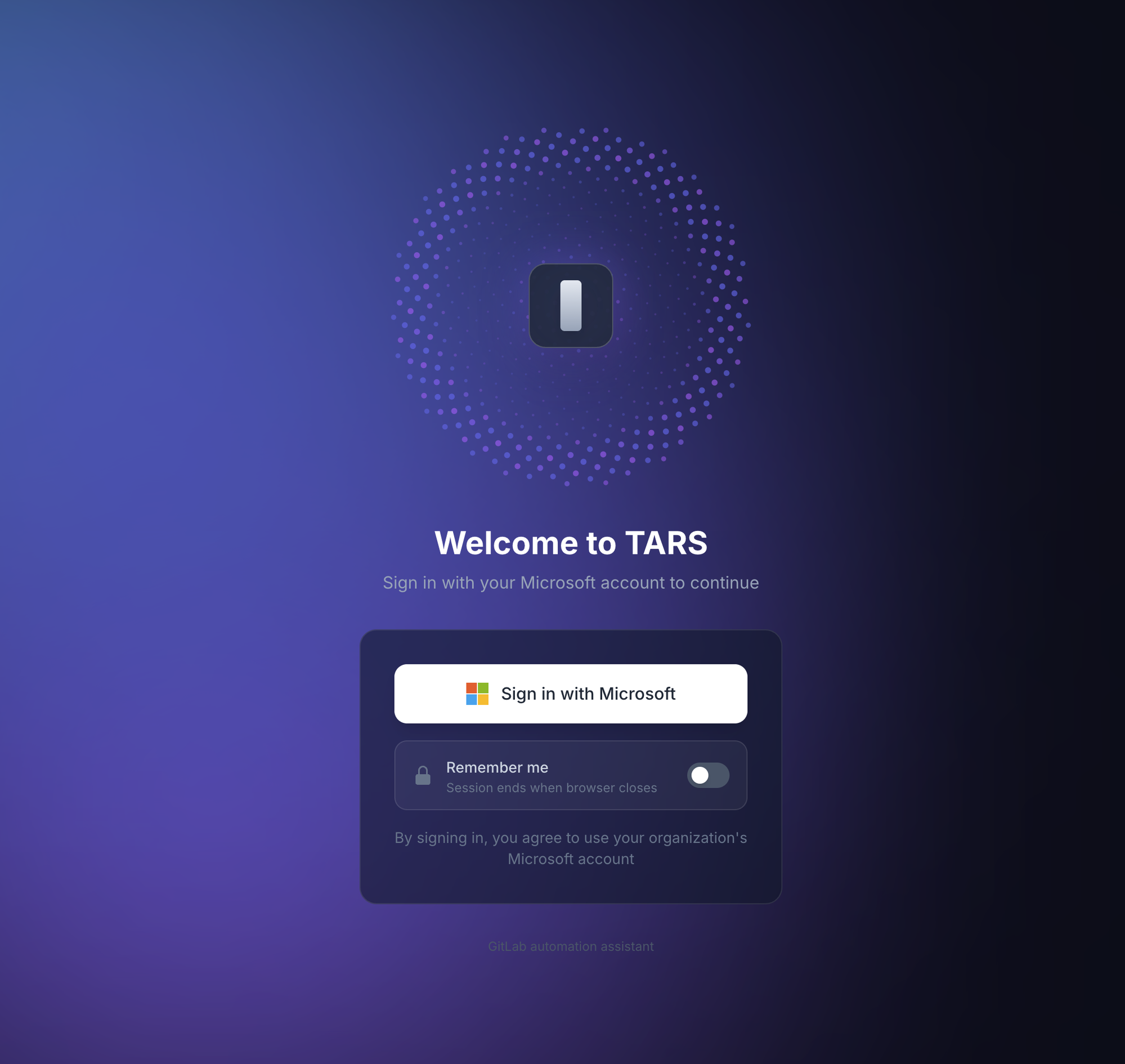
The deep purple/navy gradient background, subtle transparency, and smooth Framer Motion transitions create a polished, professional interface that engineers enjoy using. The login screen (shown at the top of this article) sets the tone immediately.
Activity Sidebar#
During streaming, an activity sidebar shows every tool invocation in real time:
> Gathering context for "payment-service"...
  > gitlab_search_group: searching for payment-service
  > gitlab_list_tree: reading repository structure
  > gitlab_get_file: reading terraform/locals.tf

> Investigating infrastructure...
  > aws_ecs: describe_services on cluster payments-qual
  > aws_cloudwatch: get_log_events for /ecs/payment-service
  > aws_elb: describe_target_health for payment-tg
Sub-agent tool calls are nested under their parent, making the investigation flow transparent to the user.
KPI Dashboard#
Beyond SRE investigation, TARS includes a developer productivity dashboard that computes metrics from GitLab data:
- Commit frequency by day/week/month
- Code volume (lines added/removed)
- MR activity (opened, merged, review time)
- Review metrics (comments given/received)
- Repository engagement (contribution distribution)
The caching strategy is multi-layered to minimize GitLab API calls:
- Raw GitLab data: 15-minute Redis cache
- Computed dashboard metrics: 1-hour Redis cache
- PostgreSQL snapshots: 4-hour persistent cache
Data is fetched in fixed time buckets (15, 31, 91 days) regardless of what the user requests. If a user asks for “last 7 days” of data, the system fetches the 15-day bucket and filters client-side. This maximizes cache hit rates because different users requesting different time ranges all hit the same cached bucket.
Memory and Context Management#
TARS uses AWS Bedrock AgentCore for persistent memory across sessions. Three memory strategies are active:
- User Preferences: How the user likes responses formatted, which accounts they frequently investigate, preferred output verbosity
- Semantic Facts: Discovered facts about the infrastructure (e.g., “payment-service runs on cluster X in account Y”)
- Session Summaries: Compressed summaries of past conversations for continuity
The conversation manager uses a sliding window of 40 messages. When the window fills, older messages are summarized and stored in the summaries namespace. This means the agent can reference context from days-old conversations without consuming the full context window.
Users can view and manage their memory records through a dedicated Memory page, with ownership verification preventing cross-user data access.
Database Design#
The schema is intentionally minimal:
erDiagram
    User ||--|| UserSettings : has
    User ||--o{ UserSession : has
    User ||--o{ ChatSession : owns
    User ||--o{ DeveloperKPISnapshot : has
    ChatSession ||--o{ Message : contains
    Message ||--o{ ToolInvocation : triggers
    ChatSession ||--o{ ChatShare : "shared via"

    User {
        uuid id PK
        string entra_id
        string display_name
        string role
    }
    ChatSession {
        uuid id PK
        string title
        string output_mode
    }
    Message {
        uuid id PK
        string role
        text content
        json metrics
    }
    ToolInvocation {
        uuid id PK
        string tool_name
        json input_params
        string status
    }
All sensitive fields use EncryptedCharField. KPI snapshots auto-expire after 4 hours. Chat shares have a 30-day TTL.
Deployment#
TARS deploys to ECS Fargate with Terraform:
resource "aws_ecs_service" "tars" {
  name            = "tars"
  cluster         = aws_ecs_cluster.tars.id
  task_definition = aws_ecs_task_definition.tars.arn
  desired_count   = 2

  capacity_provider_strategy {
    capacity_provider = "FARGATE_SPOT"
    weight            = 100
    base              = 1
  }

  capacity_provider_strategy {
    capacity_provider = "FARGATE"
    weight            = 1
  }

  deployment_circuit_breaker {
    enable   = true
    rollback = true
  }
}

resource "aws_ecs_task_definition" "tars" {
  family                   = "tars"
  requires_compatibilities = ["FARGATE"]
  network_mode             = "awsvpc"
  cpu                      = 1024   # 1 vCPU
  memory                   = 2048   # 2 GB

  runtime_platform {
    operating_system_family = "LINUX"
    cpu_architecture        = "ARM64"
  }

  container_definitions = jsonencode([{
    name  = "tars"
    image = "${aws_ecr_repository.tars.repository_url}:latest"

    portMappings = [{
      containerPort = 8080
      protocol      = "tcp"
    }]

    secrets = [
      { name = "DJANGO_SECRET_KEY", valueFrom = aws_secretsmanager_secret.django.arn },
      { name = "DATABASE_URL", valueFrom = aws_secretsmanager_secret.db.arn },
      { name = "REDIS_URL", valueFrom = aws_secretsmanager_secret.redis.arn },
      # ... more secrets
    ]
  }])
}
The multi-stage Dockerfile keeps the image small:
# Stage 1: Build frontend
FROM node:20-alpine AS frontend
WORKDIR /app/frontend
COPY frontend/package*.json ./
RUN npm ci
COPY frontend/ ./
RUN npm run build

# Stage 2: Production
FROM python:3.13-slim
WORKDIR /app

# Install Python dependencies
COPY backend/requirements.txt ./
RUN pip install --no-cache-dir -r requirements.txt

# Copy backend
COPY backend/ ./

# Copy built frontend + Nginx config
COPY --from=frontend /app/frontend/dist /app/static/frontend
COPY nginx.conf /etc/nginx/nginx.conf

# Nginx serves static + proxies to Uvicorn
EXPOSE 8080
CMD ["supervisord", "-c", "supervisord.conf"]
Lessons Learned#
After building and operating TARS, here are the patterns that proved most valuable.
Temperature 0.0 for investigation agents
Sub-agents are essential for complex investigations
Streaming is not optional
Tool output truncation prevents context collapse
get_log_events call can return megabytes of data. Without aggressive truncation (12,000 chars), the context window fills with log noise and the agent loses track of its investigation.Read-only by default, always
Per-user credentials, never shared
The system prompt is the product
Cache at the right granularity
What’s Next#
The natural evolution is expanding TARS from investigation to remediation. Today it tells you what’s wrong. Tomorrow it could:
- Create a hotfix branch with the correct code change
- Open an MR with the fix, tagged for urgent review
- Draft the incident report based on its investigation findings
- Suggest runbook updates based on novel failure modes it discovers
The foundation is already there. The tool policy system supports ELEVATED operations. The branch protection ensures writes are safe. The main challenge is building the right human-in-the-loop confirmation flow so the agent proposes changes but never applies them autonomously.
That’s the endgame: an AI SRE that investigates like your best engineer, communicates like your best technical writer, and never needs to sleep.
References#
- Strands Agents SDK
- Django Async Views
- Server-Sent Events (MDN)
- PKCE OAuth2 Flow
- AWS STS AssumeRoleWithSAML
- Radix UI
- The Elm Architecture
Want to go deeper on AI integration, platform engineering, or backend systems? I offer 1:1 coaching sessions tailored to your background and goals. Check out the coaching page.